> ## Documentation Index
> Fetch the complete documentation index at: https://docs.titanos.tv/llms.txt
> Use this file to discover all available pages before exploring further.
# Submit a channel
### Create your channel
Start by creating a new channel in the Partner Portal.
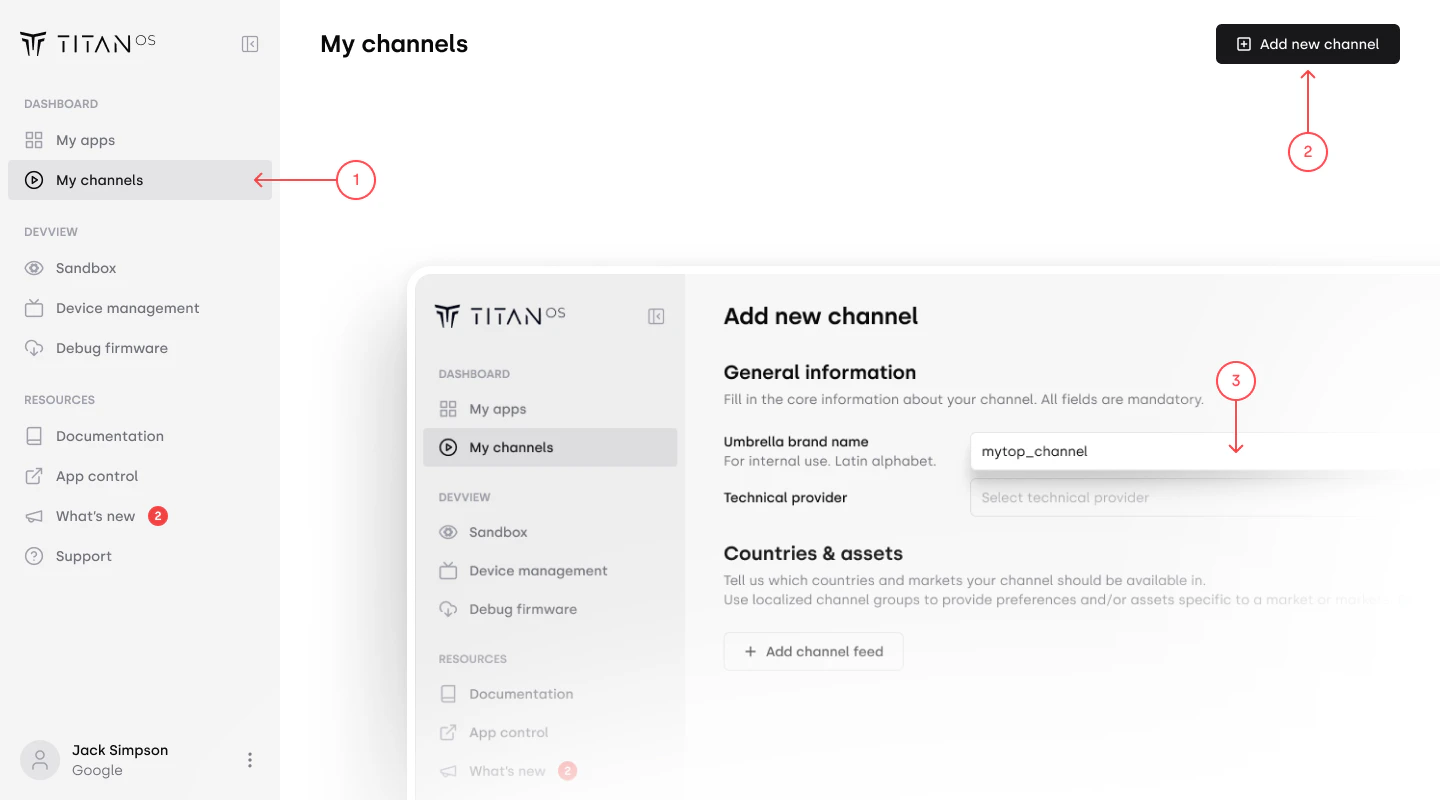 Click **Create channel** and fill in the information for the **umbrella brand**.
***
### Umbrella brand name
The umbrella brand represents the branding of a channel, while localized versions may have different names or flavors. This name is used for internal organization only.
* Typically an English or internal-facing name
* Can also match the public channel name
Use this to group and manage related channel feeds more efficiently.
***
### Add localized feeds
Localized feeds represent variations of your channel for different markets.
Click **Create channel** and fill in the information for the **umbrella brand**.
***
### Umbrella brand name
The umbrella brand represents the branding of a channel, while localized versions may have different names or flavors. This name is used for internal organization only.
* Typically an English or internal-facing name
* Can also match the public channel name
Use this to group and manage related channel feeds more efficiently.
***
### Add localized feeds
Localized feeds represent variations of your channel for different markets.
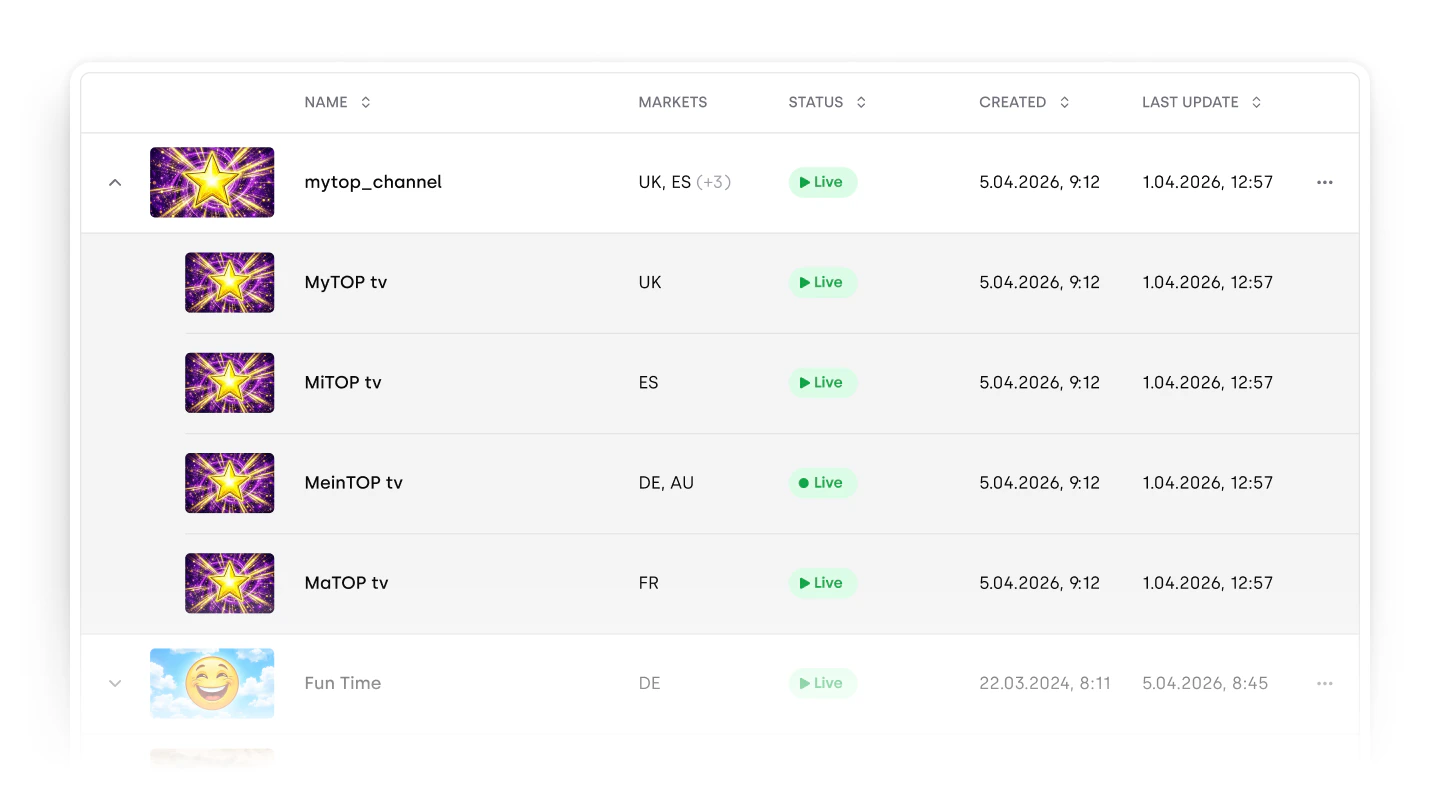 Each feed can differ based on:
* Scheduling
* Audio or subtitle languages
* Programming or content rights
* EPG differences
Even if the video feed from the technical provider is the same, differences in metadata (e.g. subtitles or EPG) require a separate localized feed here in Partner Portal.
If your channel is identical across all markets, you only need to create one localized feed.
***
### Channel name (customer-facing)
Each feed can differ based on:
* Scheduling
* Audio or subtitle languages
* Programming or content rights
* EPG differences
Even if the video feed from the technical provider is the same, differences in metadata (e.g. subtitles or EPG) require a separate localized feed here in Partner Portal.
If your channel is identical across all markets, you only need to create one localized feed.
***
### Channel name (customer-facing)
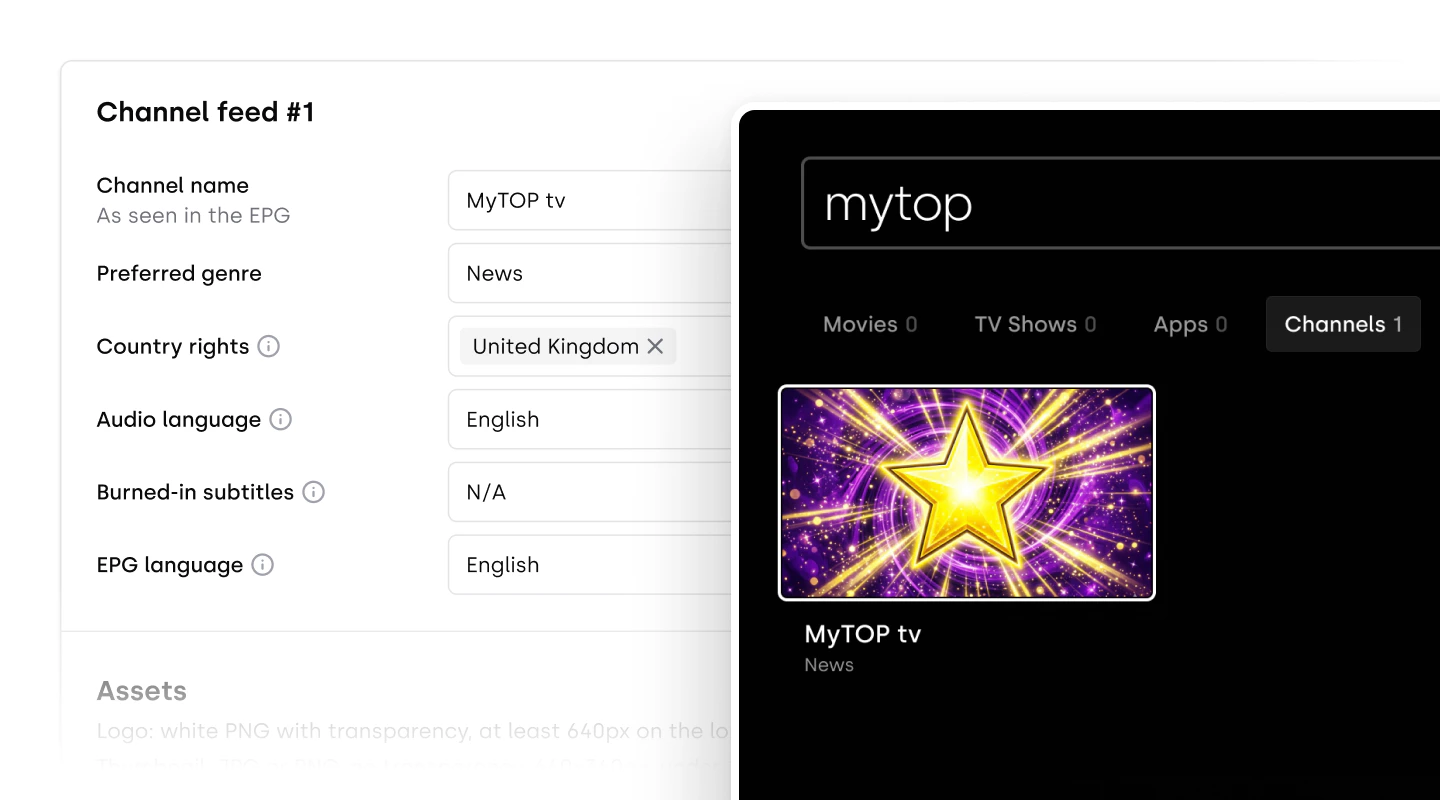 The **channel name** is what viewers will see.
Make sure this reflects the correct punctuation and capitalization according to your branding for each localized feed. This should not be an internal feed name
***
### Duplicate feed information
If multiple localized feeds share similar details, you can duplicate an existing feed to save time.
The **channel name** is what viewers will see.
Make sure this reflects the correct punctuation and capitalization according to your branding for each localized feed. This should not be an internal feed name
***
### Duplicate feed information
If multiple localized feeds share similar details, you can duplicate an existing feed to save time.
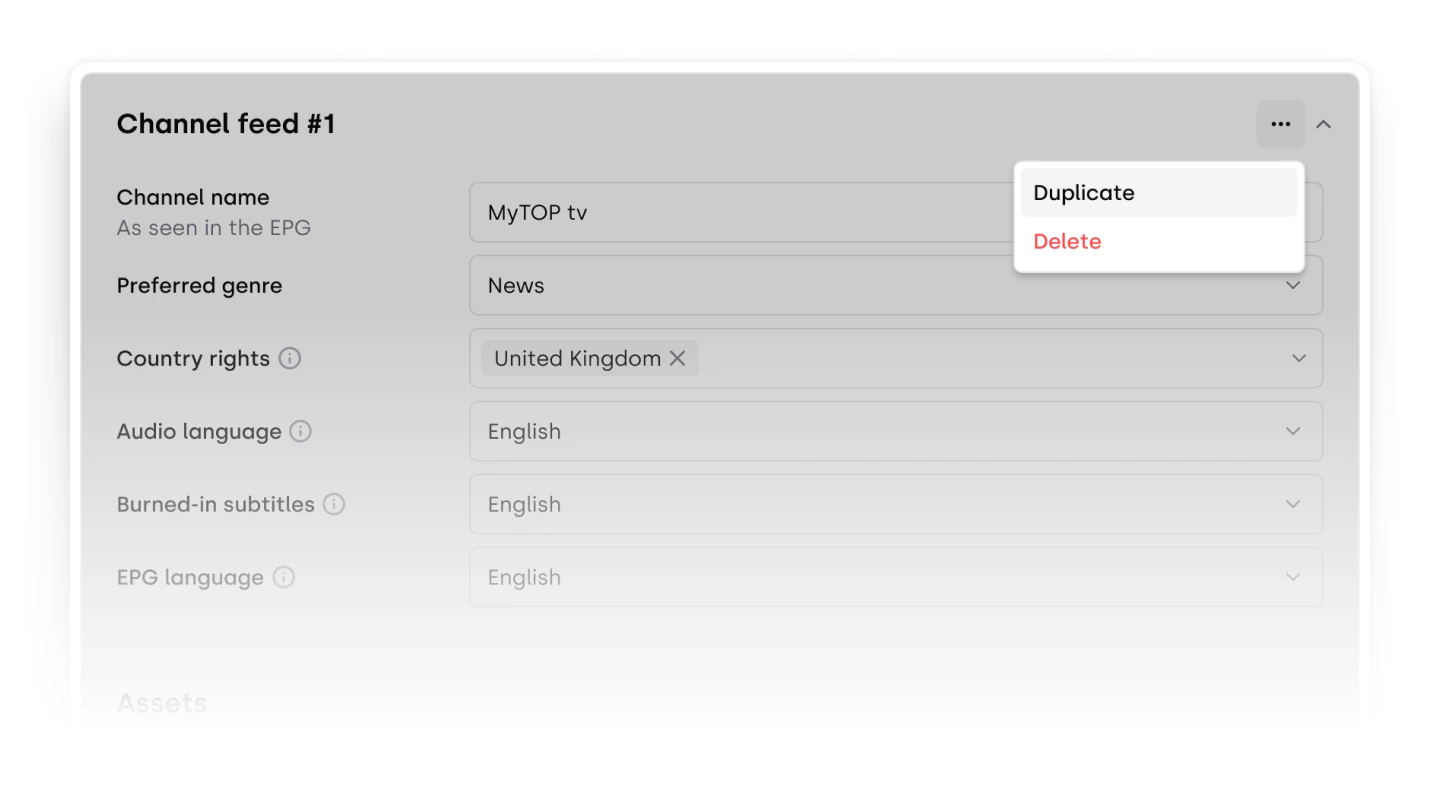 * Copy all fields from an existing feed
* Adjust only the differences (e.g. language, markets)
***
### Apply assets across feeds
Artwork is often shared across feeds. You can apply the same assets to one or multiple feeds.
* Copy all fields from an existing feed
* Adjust only the differences (e.g. language, markets)
***
### Apply assets across feeds
Artwork is often shared across feeds. You can apply the same assets to one or multiple feeds.
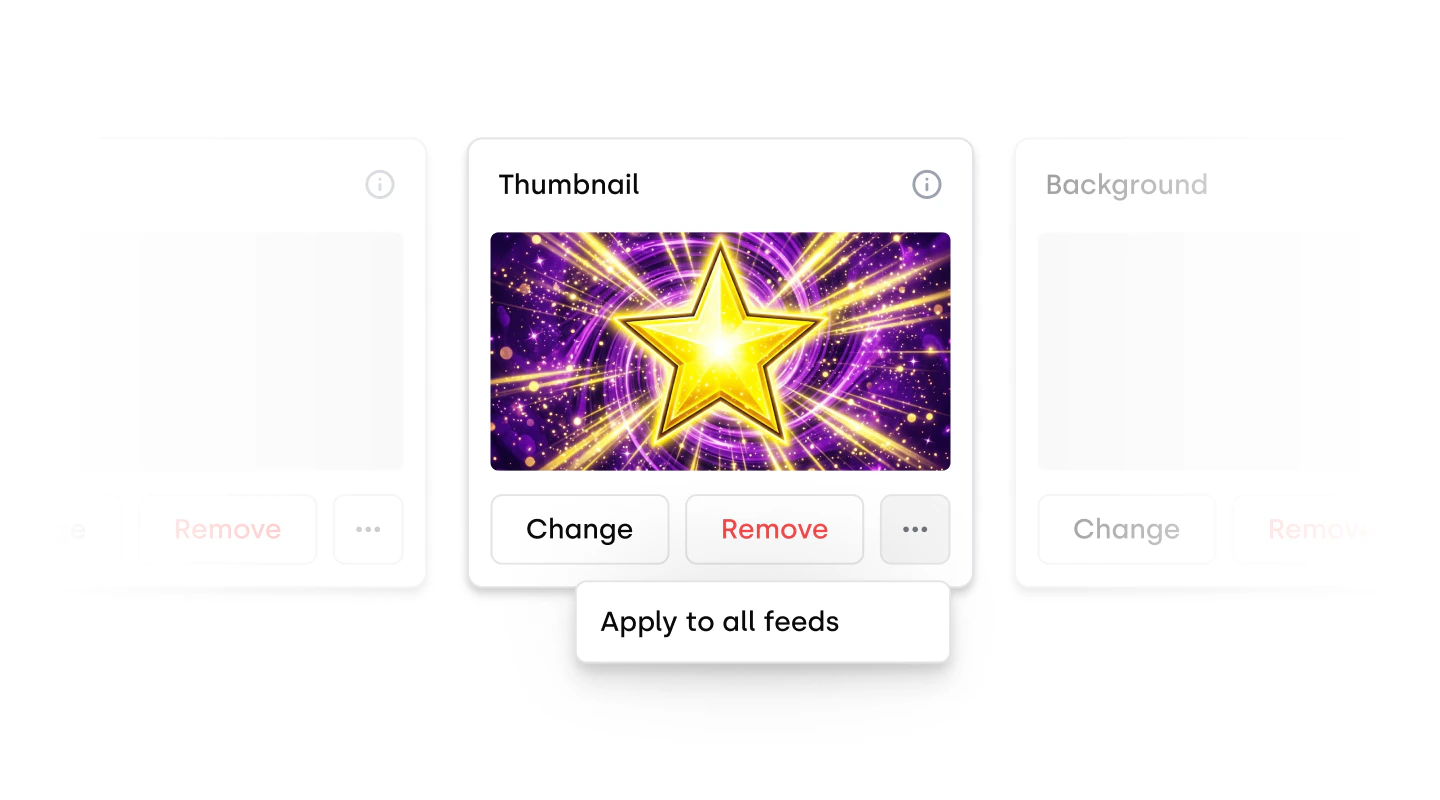 * Apply images to all feeds
* Modify individual feeds later if needed
***
* Apply images to all feeds
* Modify individual feeds later if needed
***